User Login

Help Community Login:
U2's picture
U2
Joined the Dark SidePremium Member (Silver)I'm a Code Monkey!The Steel CurtainI use FirefoxI use Internet ExplorerI use SafariI'm Here To Help, & Have Proven It!Mac UserWindows UserI donated more than $20+ to GeekDrop!I took a bite of the AppleSomeone thinks you're a cutlet above the rest!STaRDoGG <3's you ;)
Joined: 03/03/2009
Posts: 373
Drops: 768
Mood: Geeky

When fonts go bad or corrupt on your Mac they can cause all sorts of problems like shutting down your graphics program when you select that particular font.

All Mac's come equipped with an application called Font Book. To find out which fonts are good and which ones are bad we can run the validation option available in Font Book.

To find Font Book, open up your Applications folder, find Font Book and double click to open it.

The Font Book lists all the fonts that are installed on your Mac.
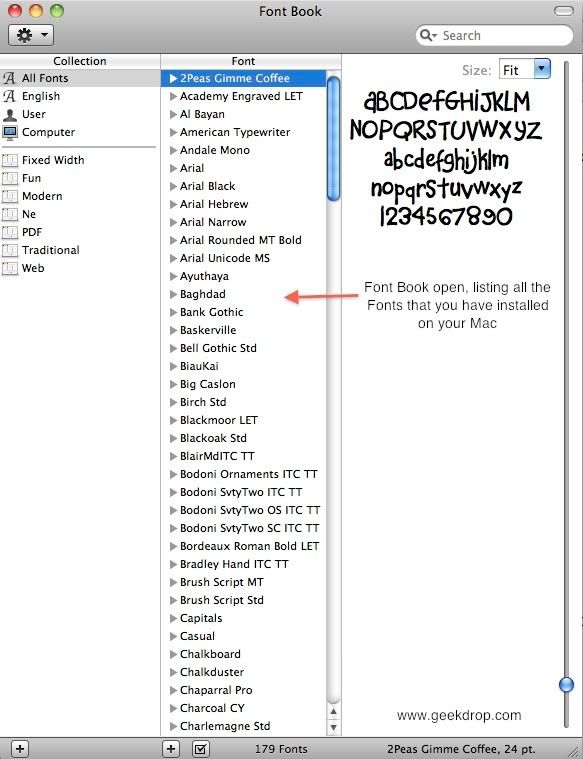
To validate one or more fonts:

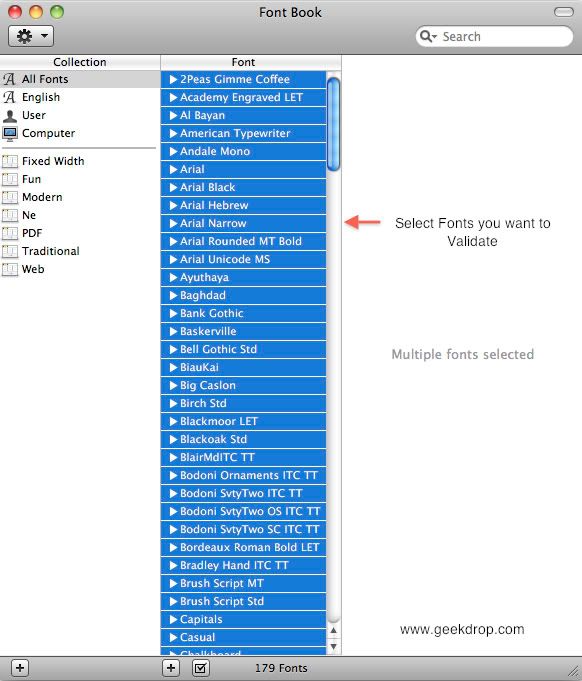
1. Select the fonts you want to validate from the list
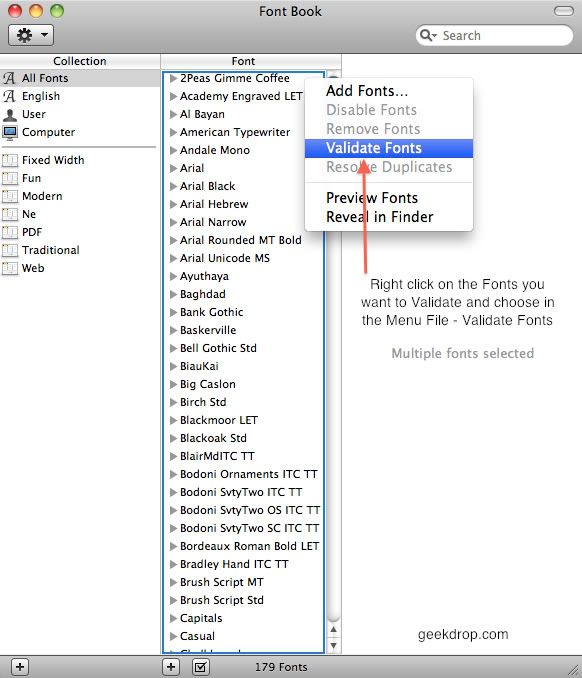
2. Right click on your chosen fonts and choose "Validate Fonts" from the File menu.
3. A "Font Validation" window opens and shows the results of validation. A green check mark indicates that font passed validation. A red x beside a font tells you there is a problem.
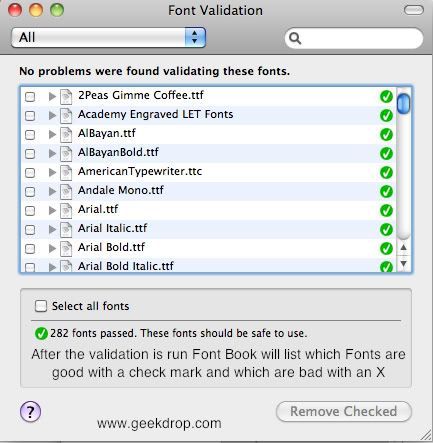
If you do find a problem you should delete these fonts:


How To Delete Fonts

  1. Check the box beside the corrupt font in the "Font Validation" window.
  2. Click on the "Remove Checked" button at the bottom of the Font Validation window. An alert appears. Click to confirm, and the fonts are deleted.
I Averaged: 0 | 0 votes

Reply


NOT LOGGED IN

You are NOT logged in

NOTE: You're commenting Anonymously. Anonymous comments are held in a queue for moderation before being made public. If you'd like your comment to be published immediately, please login or create an account (no worries, it's free!).


Your email address is kept private and will not shown publicly, nor will we ever use it to spam you.
  • Allowed HTML tags: <a> <p> <span> <div> <h1> <h2> <h3> <h4> <h5> <h6> <img> <map> <area> <hr> <br> <br /> <ul> <ol> <li> <dl> <dt> <dd> <table> <tr> <td> <em> <b> <u> <i> <strong> <font> <del> <ins> <sub> <sup> <quote> <blockquote> <pre> <address> <code> <cite> <embed> <object> <strike> <caption> <thead> <th> <param> <style> <BGSOUND> <color> <center> <font-size> <script>
  • You may quote other posts using [quote] tags.
  • Filtered words will be replaced with the filtered version of the word.
  • Textual smileys will be replaced with graphical ones.
  • You can enable syntax highlighting of source code with the following tags: <code>, <blockcode>, <csharp>, <css>, <html4strict>, <javascript>, <php>, <vb>, <vbnet>, <xml>. Beside the tag style "<foo>" it is also possible to use "[foo]".
  • Lines and paragraphs break automatically.
  • You can use BBCode tags in the text.

More information about formatting options

Ignore this box.

Who's New

ismaeel's picture
Mirabel Connell's picture
Joe's picture
yonoel's picture
edward hamline's picture
Seraphinang's picture
Kongyawen's picture
Saunders's picture
Anselmrosseti's picture
bred_123456789's picture
Harrison11's picture
HlexAlicea's picture
NlexAlicea's picture
JeansKeyzhu's picture
Damnmy's picture
facebook codes exploits tips tricks Phrozen Crew
All contents ©Copyright GeekDrop™ 2009-2026
TOS | Privacy Policy